 Hourbook
Work hours tracker app for iPhone
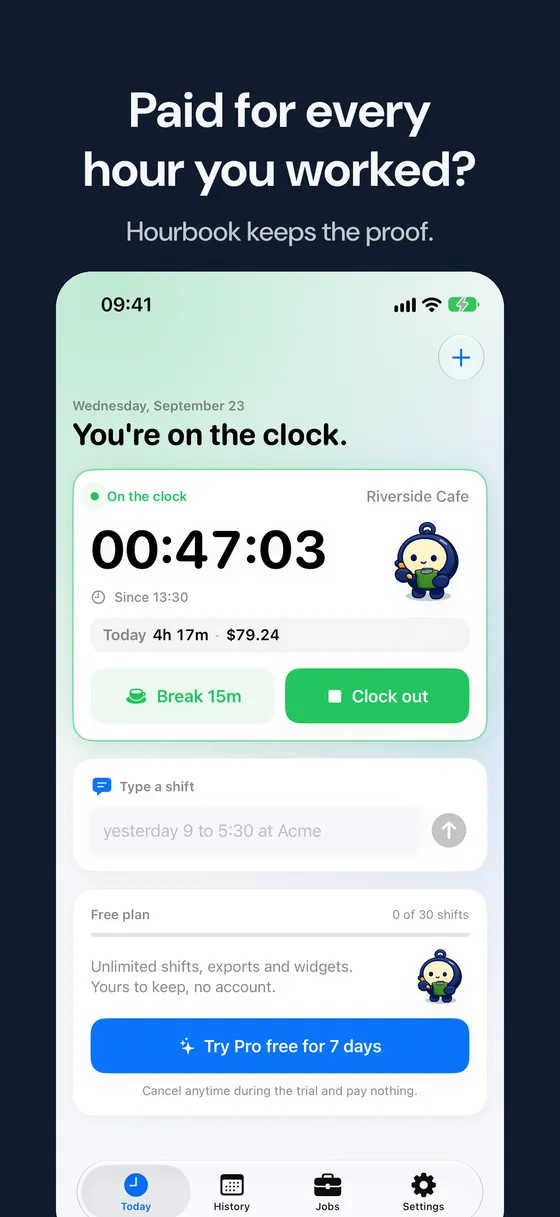
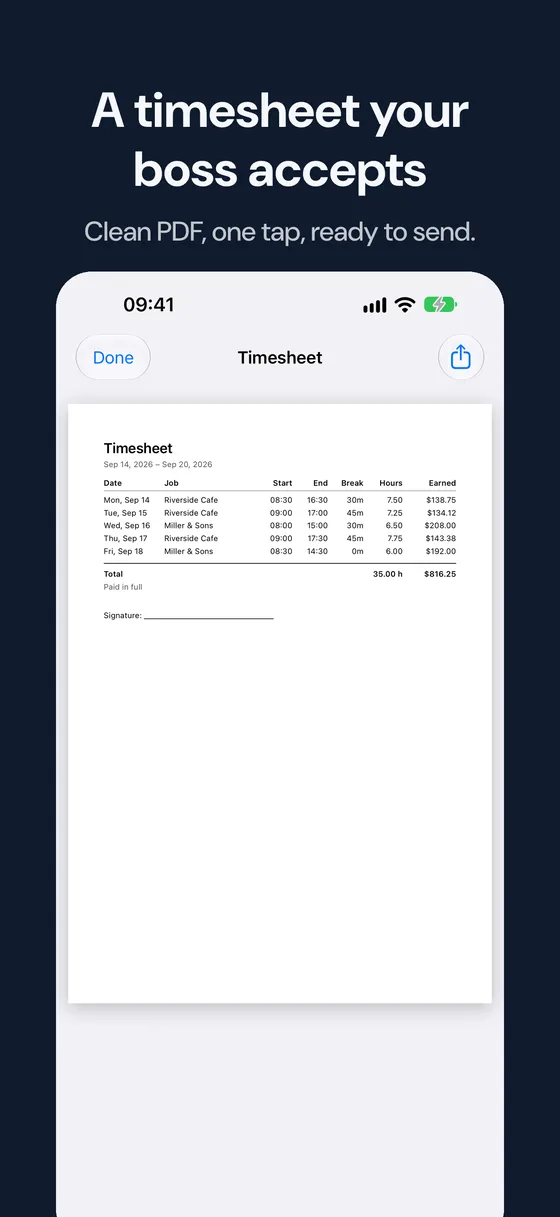
Clock in with one tap, watch your hours and pay add up, and send a clean timesheet when the week ends. No account. Works offline.

Free download with 30 shifts included. Hourbook Pro unlocks unlimited shifts and timesheets.

A shift in Hourbook
-
Clock in
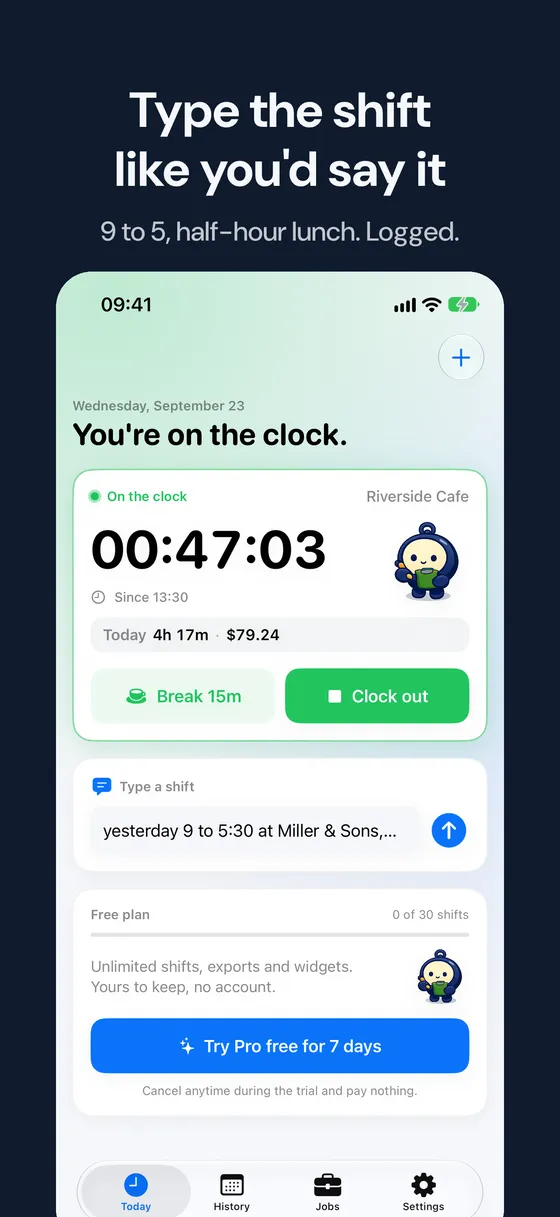
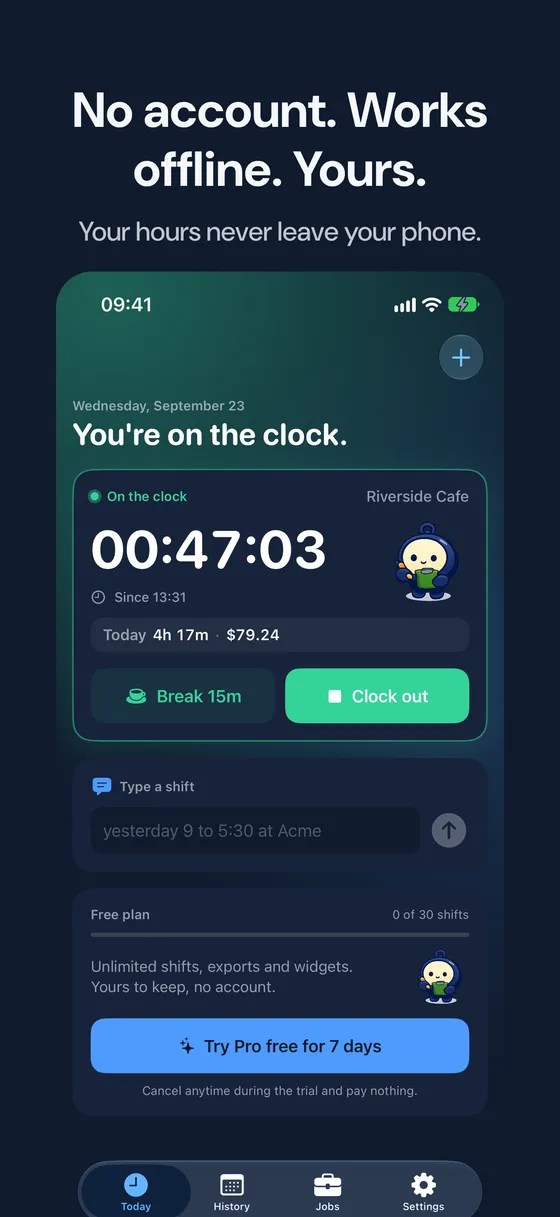
One tap in the app, or hands-free with Siri, Shortcuts or the Action button. Forgot? Type "yesterday 9 to 5:30" and the shift is added.
-
Take a break
Breaks count down and pause the clock, so your hours stay honest.
-
Clock out
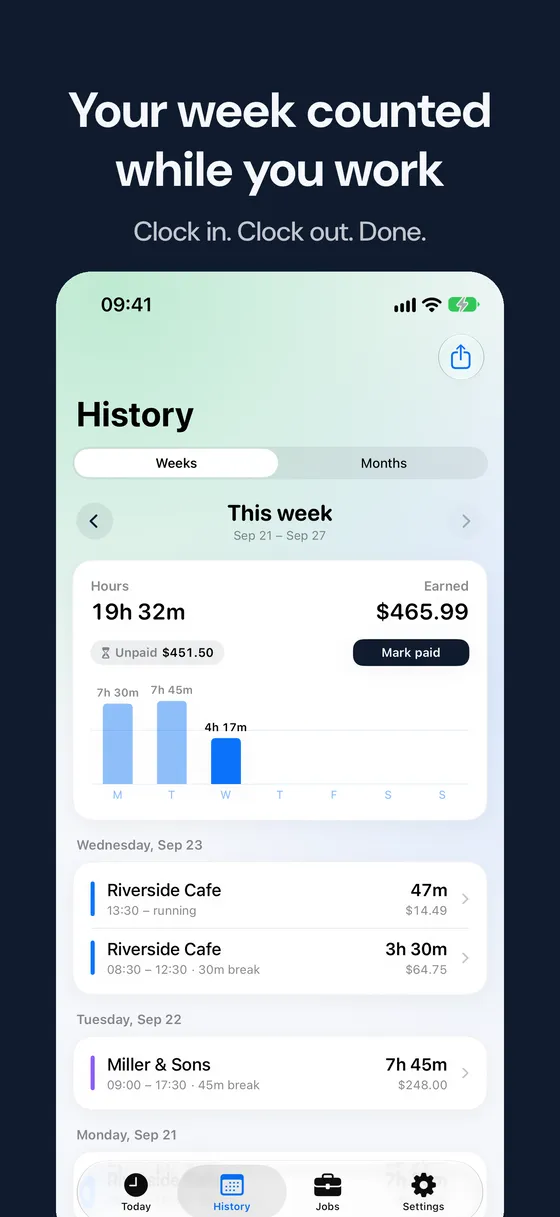
See today's hours and what you earned, per job or client, with your own hourly rate.
-
Send your timesheet
Share a tidy PDF or CSV with your boss or client in two taps, and see the pay period you are owed.
Inside the app
Questions
Is Hourbook free?
Yes. Download it for free and track your first 30 shifts, including two timesheet exports. Hourbook Pro removes the limits and comes with a 7-day free trial.
Does it work without internet?
Yes. Your hours are stored on your iPhone and everything works offline. You don't need an account.
Can I track more than one job?
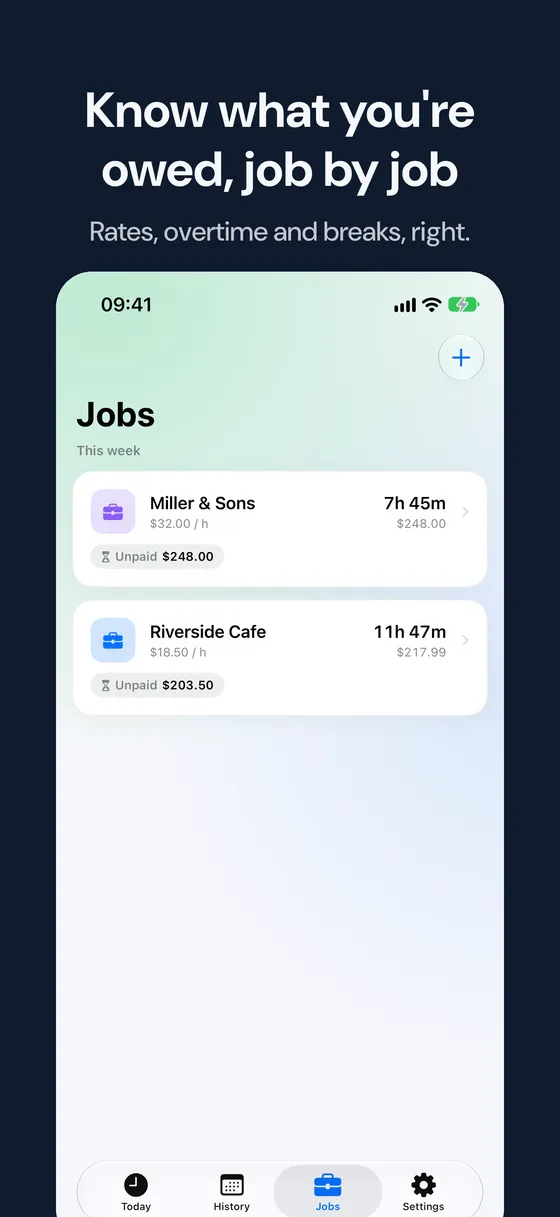
Yes. Add a job or client for each place you work, each with its own hourly rate and colour.
How do I send my hours to my boss?
Open History, tap Export and share a PDF or CSV timesheet by email, messages or any app.
Does it work for night shifts?
Yes. Shifts are saved with their real start and end times, so a shift from 22:00 to 6:00 counts correctly.

Ready when you are.
Your first shift takes less than a minute to track.
Questions or a bug? Write to [email protected].